My first impression when I heard about Linux was of another mainstream operating system (OS). One version for all users, no questions asked. And also, no freedom to choose differently, nor leeway for extended customization.
In reality, Linux isn’t the operating system itself, but the Linux kernel. This is the OS’s core, a program that has control over everything in the system.
What is commonly referred to as the OS corresponds to distributions. A Linux distribution is an operating system built on the Linux kernel, bundled with additional software, such as the GNU Core Utilities, a package manager, and several other tools depending on the use case.
Each distribution was built with a purpose, to cater to specific needs or preferences of its creators and/or users. That’s why there’s such variety.
And that’s the beauty of the Linux kernel as open-source software. People can examine, copy, modify, and distribute the code. This fosters collaboration and transparency, and allows for many variants of one tool to exist.
Why Learn it Now
Imagine you’re building a house. Where does the construction process begin? Definitely not the living room, or the top floor balcony.
A solid construction process starts by digging a massive hole in the ground to lay the foundations, and then builds everything on top of that. It needs to be rock solid.
The same applies to starting a journey towards becoming a DevOps professional. Learning Linux system administration and mastering the command line interface constitute the crucial first step. All other skills regarding tools, technologies, and frameworks will stack on top of this solid foundation.
Linux powers the majority of servers worldwide. Public clouds are provisioned by it. Docker runs Linux containers. Linux-based operating systems were built for automation and scripting.
It’s possible to use and adapt it to many situations, be it on personal computers, servers, routers, supercomputers, televisions, smartphones, cars, and even spacecraft.
The wide usage of this technology, making it the cornerstone of DevOps, provides a clear signal that this is the first subject to learn to a deep level.
And the best part: you don’t need special or new equipment to learn Linux. It runs almost anywhere.
What Do You Need to Start?
Server racks, blinking lights, and cables. A lot of cables. For a long time, whenever I heard the word “server”, that image immediately came to mind.
While that is the reality in many enterprise environments, we don’t need all that equipment to start learning Linux System Administration. Older hardware, such as a laptop or desktop, is more than enough.
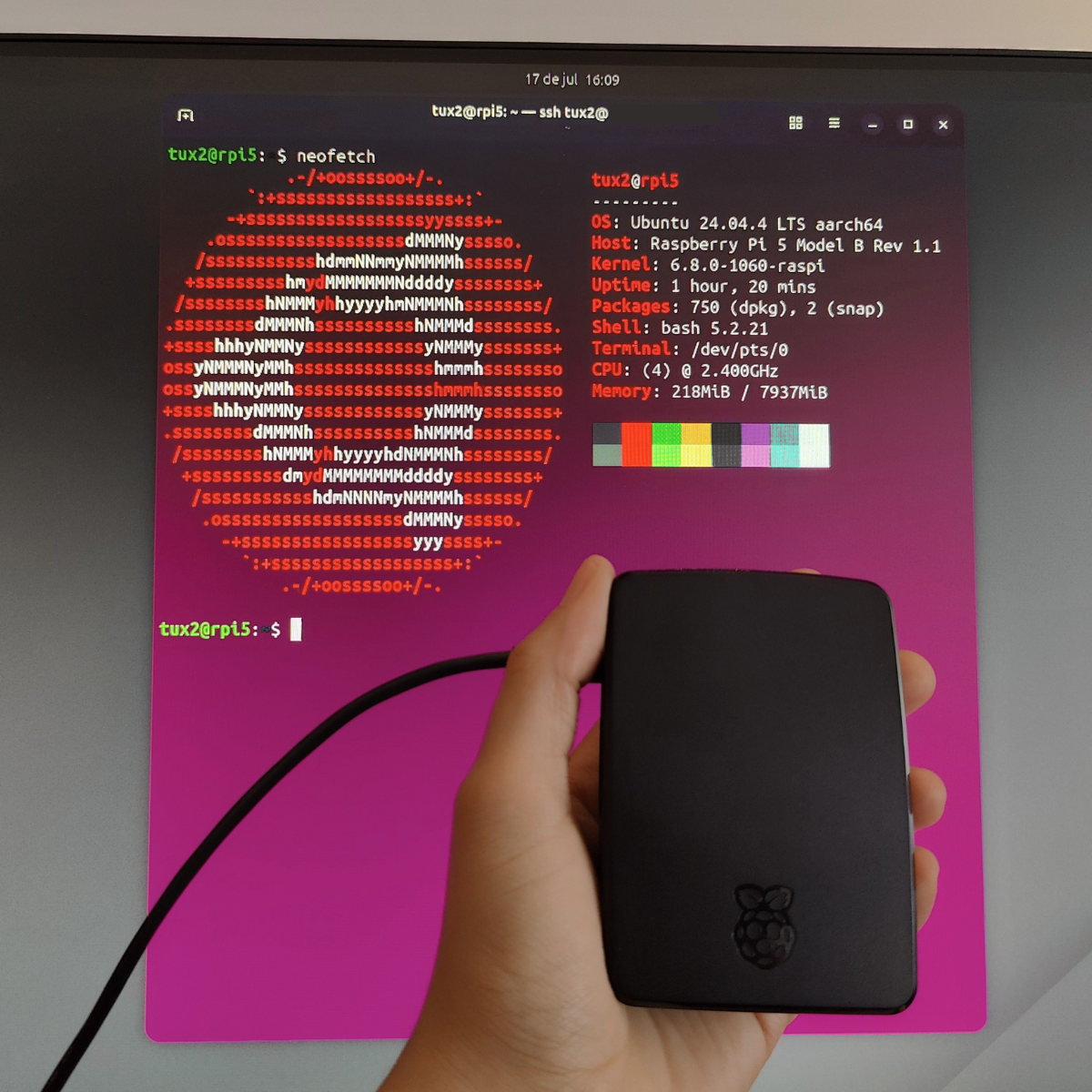
My current Linux learning environment fits in the palm of my hand. It’s a Raspberry Pi 5 8GB, running Ubuntu Server 24.04.4 LTS. It’s light, silent, and energy-efficient. And portable as well.
Using a Linux Phone as Another Learning Tool
Last November, I attended a workshop focused on the development of apps and ports for Ubuntu Touch1, where I had the chance to meet a Portuguese developer and porter.
A month after that, I successfully installed Ubuntu Touch on a supported device I’d acquired for that purpose. The process required performing a few crucial steps carefully to avoid bricking the phone, and I was glad to succeed on the first attempt.
While I’m not currently using it as my primary phone, it has become part of my Linux “training ground”. I use it to practice on the command line while on the go with the Terminal app, allowing me to study anywhere.
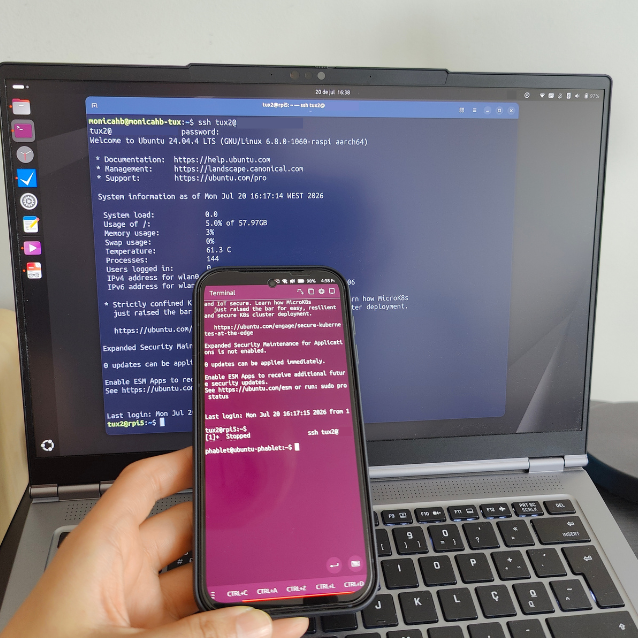
After installing Ubuntu Server on my Raspberry Pi 5, I started using the phone to SSH into the server, just as I already did with my laptop. There are never too many Linux devices to add to the setup.
Closing Thoughts
I’ve been daily driving Ubuntu Desktop for two years, first with a dual-boot system alongside Windows, and since January 2026, on a Linux-exclusive laptop.
Learning Linux fundamentals provides us with the chance to understand how the operating system is built, and how to interact with it on a deeper level. It’s not isolated or hidden from the user.
Becoming fluent in this foundational tool to provisioning the infrastructure for software deployment is the logical first step to build upon, one level at a time.
Ubuntu Touch is a mobile version of the Ubuntu operating system, developed by the UBports community, and designed mainly for smartphones and tablets. ↩︎